Rehearsal
The others say their part (with the stage directions, if you like) and the app waits for yours. For learning the whole scene.
Rehearse · for actors
Scriptico reads the other characters out loud, leaves a gap for your line and moves on when you finish. Hide your lines as you learn them, run lines with just your cues and record a self-tape without a reader.
Works in your browser, on a computer or a phone. Free with your device's voices.
I noticed.
How it works
Import the PDF or .txt file: Scriptico recognizes the way plays are laid out (NAME: line, the name above the speech, stage directions in parentheses) and sets it up for you. You can also paste it into a script made with the Theatre template.
Tap your character (you can play more than one) and choose a voice for everyone else. Rehearse the whole play, one act or one scene.
The app says the cues and waits for your line. It moves on with a tap, when you stop talking or by time, and at the end it tells you which lines tripped you up.
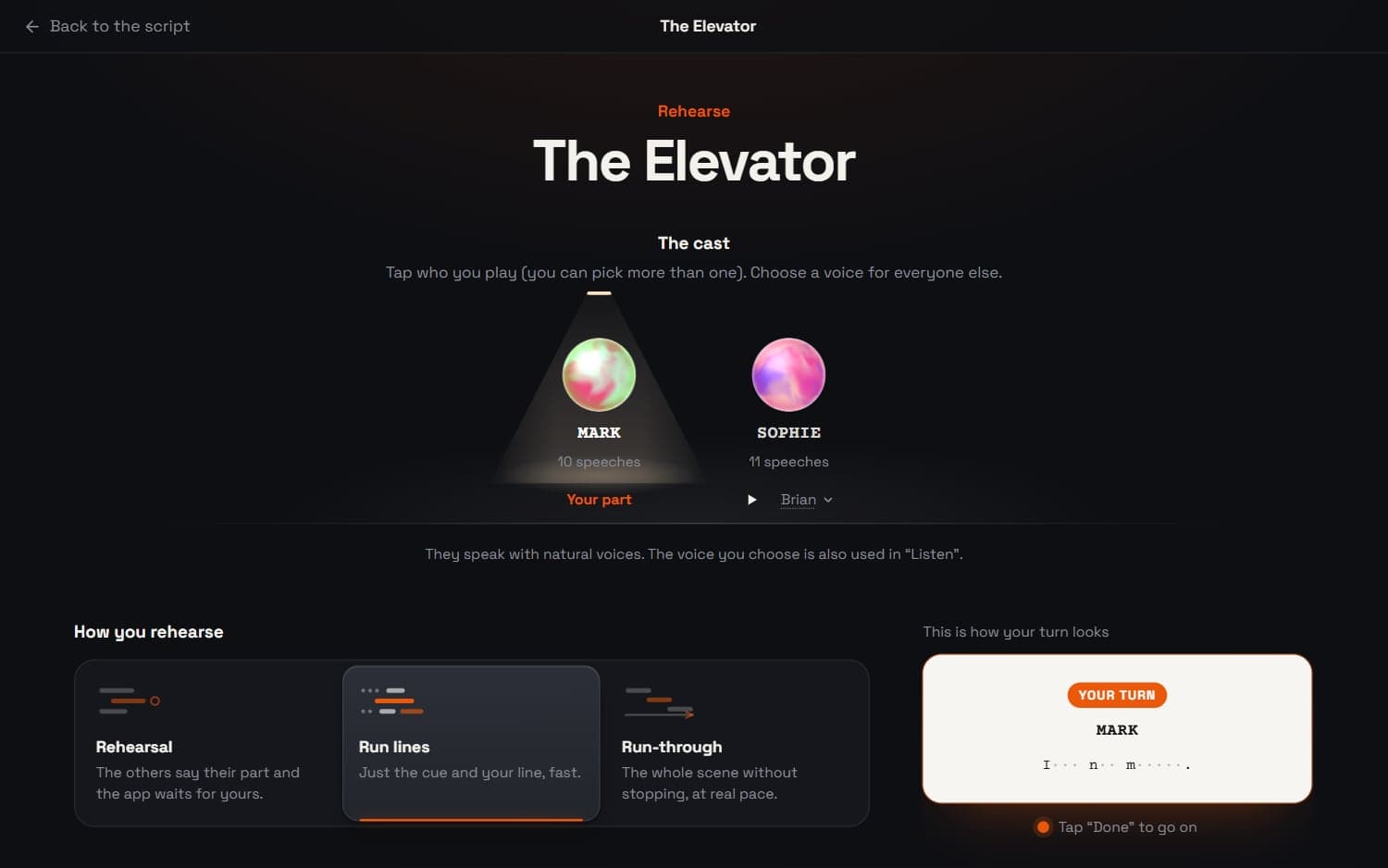
Three ways to rehearse
Each mode moves through the scene differently. You start by hearing everything, then go straight to your cues and finish with the scene at real pace.
The others say their part (with the stage directions, if you like) and the app waits for yours. For learning the whole scene.
Just the cue and your line, fast: it skips what isn't yours. For locking in the text word for word.
The whole scene without stopping, at real pace: your turn moves on by itself. For the final run, like an Italian run with the cast.
Memorize
Start by reading your whole line. Then move to initials (the first letter of each word, with dots for the rest), to hidden (one tap shows it if you get stuck) and to blind, with nothing on screen.
With your line hidden or blind, every line you say without help counts as known. At the end you see which ones tripped you up and can practice just those, or move up a level. Your progress is saved in your browser, per script.
You're done!
You said 8 of 10 lines without help
Tripped you up
Self-tape
For a taped audition, the Self-tape button records you on camera while the app reads the cues more softly. Screenplay pages work too: when you import them, choose “Stage play.”
Voices
Your system's voices, free on every plan. They sound more robotic, but they're enough to run lines. Pick a voice and a pitch for each character.
Voices that act: they follow the stage directions and give each character their own way of speaking. Included with Pro (about 5 min a month) and Ultra (about 15 min), or with the Premium voices add-on on any plan. Anything already generated in “Listen” doesn't count again.
Who it's for
For tomorrow's audition, your part in the play or the monologue for drama school. Rehearse whenever you want, without waiting for someone to read with you.
Everyone rehearses their part at home from the same shared script. If someone fixes a line, everyone's rehearsal picks up the new text.
Students take the class scenes home and arrive with their lines learned. The teacher shares the text and each student rehearses at their own pace.
Guide
Before memorizing, read the whole play, sum up each scene in one line and write down what your character wants, as a verb. What you understand you remember far better than what you repeat.
Your cue is the end of the line before yours. On stage you don't speak when you're ready; you speak when your partner finishes. Learning your cues is what prevents long silences. Run lines mode is built for exactly that.
Once the lines come out, a full run without pauses proves they're automatic and frees your head to act. That's Run-through mode.
Plans
Free
Rehearse with your browser's voices, in up to 3 scripts.
Pro · US$9/mo
Natural voices, about 5 min a month, from your first payment.
Ultra · US$18/mo
Natural voices, about 15 min a month.
Premium voices · US$9/mo
The add-on: natural voices on any plan, about 44 min a month.
Natural voice minutes are the same ones “Listen” uses: anything already generated doesn't count again.
See all plansFrequently asked questions
Yes. Rehearse is included in every plan, including the free one, with your browser's voices. Natural voices come with Pro and Ultra or with the Premium voices add-on.
Yes. Go to New script → Import a file and upload the PDF or .txt file; Scriptico recognizes the layout of a stage play: the characters, the speeches, the stage directions, the acts and the scenes. If it's a Word document, save it as a PDF, or copy the text and paste it into a stage play script.
Yes. When you import the pages, choose “Stage play” under “Import as”: Rehearse works in stage play scripts, and Scriptico converts screenplay pages to that format without losing the characters or the parentheticals.
Yes, in your phone's browser. To record a self-tape, use a computer with Chrome, Edge or Firefox.
No. When the scene moves on by microphone, the audio is processed in your browser and never leaves it. The self-tape video stays on your device until you download it.
Yes. Tap every character you play and the app reads only the others. If you pick all of them, you go over the whole text without voices.
Yes, in your browser and per script: which lines you said without help and which tripped you up, so you can practice just those next time.
No. If you already have the text, import it or paste it. If you want to write your own scene, the Theatre template gives you the format.
Create your free account, import your script and pick your part.
Rehearse for free